
iOS 27 Is Giving Your iPhone Lock Screen a Major Makeover
Every year, Apple's Worldwide Developers Conference brings a wave of new features, and iOS 27 is no exception. While much of the buzz surrounding this year's release has focused on the sweeping overhaul of Siri and deeper Apple Intelligence integration, there's a quieter revolution happening right on your iPhone Lock Screen. Apple has quietly packed in several meaningful refinements that give users more creative control, better personalization options, and a cleaner overall experience than ever before.
Some of these additions are entirely new to iOS, while others represent thoughtful improvements to features Apple first introduced in iOS 26. Whether you're planning to jump on the public beta next month or waiting for the full release this fall, these are the Lock Screen upgrades you'll want to know about. Here's a detailed look at five of the most exciting changes coming to your iPhone Lock Screen with iOS 27.
1. Extend Your Wallpaper with Apple Intelligence
One of the most visually impressive new features in iOS 27 is the wallpaper extension tool, powered by Apple Intelligence. Anyone who has ever set a favorite photo as their Lock Screen wallpaper knows the frustration: the image is cropped too tightly, it doesn't match the iPhone's aspect ratio, or it simply leaves awkward empty space around the edges. Apple's solution in iOS 27 is elegant and genuinely smart.
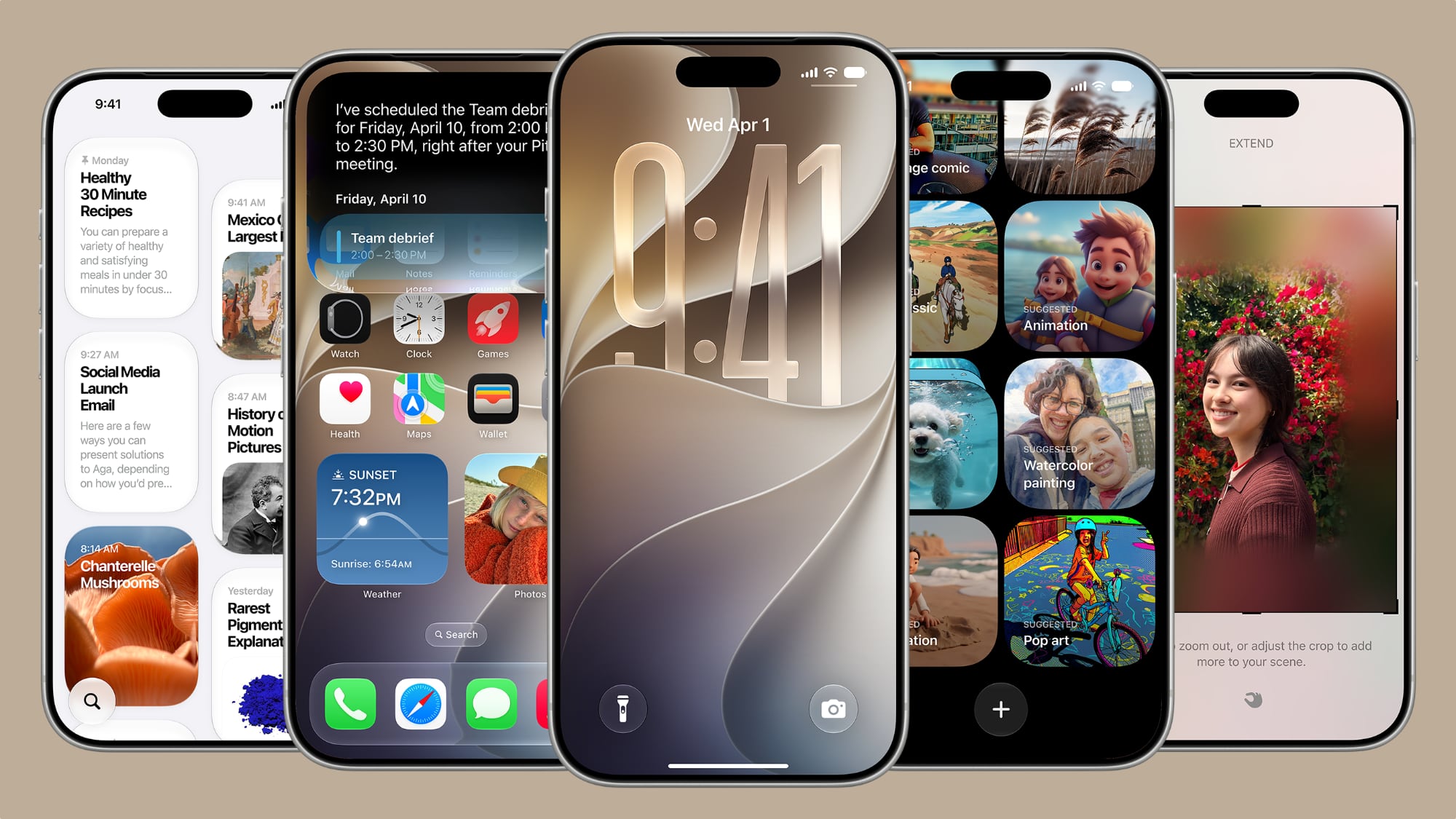
The new "Extend" option uses Apple Intelligence to automatically analyze your chosen photo and generate additional image content around its borders. Rather than stretching, distorting, or aggressively cropping the original image, iOS 27 synthesizes new background details that seamlessly blend with the existing photo. The result is a wallpaper that feels natural and intentional, filling the entire Lock Screen without any visual compromise.
This feature isn't limited to the Lock Screen, either. You can also find the Extend option directly inside the Photos app, making it a versatile tool for anyone who wants to creatively reframe images for any purpose. It's a powerful example of generative AI being put to practical, everyday use in a way that genuinely solves a real problem for iPhone users.
2. Make the Clock Tiny with Compact Clock Mode
The large, centered time display has been a defining visual element of the iPhone Lock Screen for years, but iOS 27 gives users the freedom to rethink that layout entirely. A new compact clock mode is now available as an alternative Lock Screen layout option, tucked into the top-right corner of the Font & Color panel.
When enabled, this option moves the time away from its traditional prominent, centered position and reduces it to a much smaller display. For users who prefer a cleaner, more minimal Lock Screen aesthetic, or who want more visual real estate for their wallpaper or widgets, this is a genuinely useful addition. It reflects a broader trend in iOS 27 toward giving users more granular control over the layout and visual hierarchy of their Lock Screen, rather than enforcing a one-size-fits-all approach.
3. More Refined Control Over Lock Screen Layouts
Beyond the compact clock, iOS 27 brings a broader set of layout refinements that build on the customization framework Apple introduced in iOS 16 and has continued to expand with each subsequent release. Users can expect more flexibility in how widgets, the date, and other Lock Screen elements are arranged and scaled, with Apple offering new positioning options that weren't available in iOS 26.
These refinements are part of Apple's ongoing effort to make the Lock Screen feel less rigid. The goal is to let your Lock Screen reflect your personal style, whether that means a bold, widget-heavy display packed with information or a clean, minimalist setup that lets your wallpaper take center stage. iOS 27 makes both extremes — and everything in between — more achievable than before.
4. Improved Depth and Layering Effects
iOS 27 also builds on the depth effect feature that Apple introduced a few years ago, which creates a sense of three-dimensional layering by placing certain subjects in front of the clock on the Lock Screen. In iOS 27, this effect has been refined with improved edge detection and better handling of complex scenes, making it work reliably with a wider range of photos.
Apple Intelligence plays a role here as well, helping the system more accurately identify foreground subjects and apply the layering effect in a way that looks polished rather than glitchy. For users who rely on portrait-style photos or landscape shots with strong focal subjects, the improved depth effect in iOS 27 should produce noticeably better results right out of the box.
5. Smarter Wallpaper Suggestions and Personalization
Rounding out the five biggest Lock Screen upgrades in iOS 27 is a smarter, more proactive wallpaper suggestion system. Rather than simply offering a library of static options, iOS 27 uses Apple Intelligence to learn your visual preferences over time and surface personalized wallpaper recommendations based on your photo library, the time of day, and even your current Focus mode.
This means your Lock Screen can adapt more dynamically to your routine, showing a calming nature photo during your wind-down Focus mode at night or a bright, energizing image during your morning workout. It's a feature that rewards long-term use, becoming more tailored and useful the more your iPhone learns about your preferences and habits.
When Can You Try These Features?
Apple announced iOS 27 at WWDC this week, and the public beta is expected to be available next month. The final, general release of iOS 27 is anticipated in the fall, following Apple's typical annual release cadence. If you're eager to explore all five of these Lock Screen features before the official launch, signing up for the public beta through Apple's Beta Software Program is your best option — though as always, it's worth being aware that beta software may include bugs and is best tested on a secondary device.
Taken together, these five Lock Screen upgrades represent a meaningful step forward in iPhone personalization. Apple is giving users more tools, more flexibility, and more intelligence behind the scenes to create a Lock Screen that genuinely feels like their own. Whether it's the AI-powered wallpaper extension, the new compact clock mode, or the smarter personalization engine, iOS 27 makes it clear that the Lock Screen is still very much a canvas Apple is committed to evolving.